I still remember the day Sucker Punch finally tossed the PC port of Ghost of Tsushima: Director's Cut into the wild. As a Steam Deck fanatic, I practically vibrated out of my chair. The island of Tsushima, the wind in Jin Sakai's hair, the satisfying thwip of an arrow piercing a Mongol helmet — all on a handheld? Yes, please. Then I looked at the Steam store page and saw the dreaded word: Unsupported. Cue a sinking feeling that not even a hot spring monkey could fix.
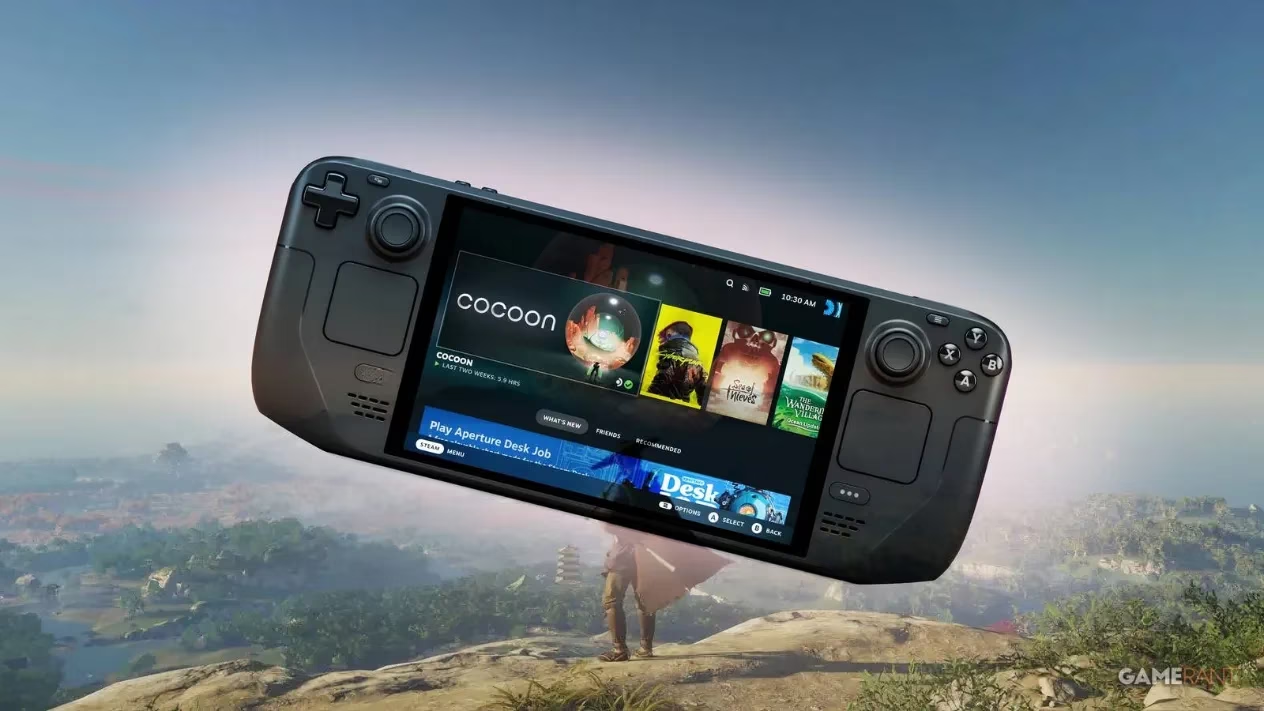
Turns out, the "Unsupported" label was mostly because the Legends multiplayer mode throws a tantrum on the Deck. Sucker Punch themselves confirmed that the single-player campaign works. Works, mind you. Not "soars like an eagle," more like "stumbles drunkenly through a pampas grass field." On default settings, even hitting a stable 30 FPS was a pipe dream. I watched Jin Sakai gallop at a cinematic 22 frames per second while the deck's fan whined like a kazoo. Something had to give.
So I embarked on a sweaty, obsessive tinkering session worthy of a blacksmith. After dozens of test runs — and a mild blister from the back buttons — I emerged with a set of settings that turned this samurai slide show into something playable and even gorgeous. If you're still fighting Tsushima's performance demons in 2026, gather 'round.
The ugly truth about default settings
Out of the box, Ghost of Tsushima aims for Medium presets at 1280x800. That's adorable. It also barely maintains 30 FPS during quiet scenes, and when a single particle effect appears, you'd think the Deck was computing the meaning of life. Dynamic resolution scaling is enabled by default, which makes the image look like a watercolor painting when things get busy. I once mistook a tree for a smeared blob of green paste. Not ideal for immersive samurai cinema.
I quickly realized that chasing 60 FPS is a fool's errand on the Deck. Even with every slider set to \u201cpotato,\u201d the game just laughs at you. But a locked 30 FPS with occasional bumps into the 40s? That's the sweet spot. And boy, does it make a difference in parry timing.
The sacred settings scroll (aka what actually works)
After many hours of squinting at frame-time graphs and accidentally dismounting into enemy camps, I crafted the following configuration. These values keep the game hovering between 30 and 40 FPS with minimal dips below 30 — a massive improvement over the default jank.
Display adjustments
First, ignore the temptation of native 800p. Instead, set Display Resolution to 1280x720. The minor black bars or upscale are a small price for smoother frames. I used AMD FSR 3.0 as the upscale method with Quality mode. Yes, FSR 3.0 on Deck feels like cheating, but it works. Turn Dynamic Resolution Scaling off entirely — we're taking manual control like a seasoned sensei. HDR and brightness are personal preference; I kept them at default because I'm not a monster.
Graphics options (the real magic)
Here's where I became a pixel peeping monk. The key philosophy: keep the image sharp where it matters, murder settings that eat frame-time for no visual gain.
| Setting | Value | Why? |
|---|---|---|
| Motion Blur Strength | 0 | Because motion blur is the enemy of clarity in handheld fast action |
| Texture Quality | Medium | Low looks like PS2 mud; High stutters more. Medium is just right |
| Texture Filtering | 4x Anisotropic | Minimal performance cost, keeps distant ground looking like ground |
| Shadow Quality | Medium | Low shadows pop in like ninjas. Medium stays decent |
| Level of Detail | Medium | Prevents entire villages from appearing as cardboard boxes |
| Terrain Detail | Medium | Same story. You want to see grass, not green fog |
| Volumetric Fog | Medium | Stick with Medium; Low removes the atmosphere that makes Tsushima \u201cTsushima\u201d |
| Depth of Field | High | Surprisingly low cost, makes cutscenes look \ud83d\udc4c |
| Screen Space Reflections | Low | Barely noticeable difference, saves frames like a miser |
| Screen Space Shadows | Low | Same logic. Your Deck will thank you |
| Ambient Occlusion | SSAO Performance | Performance mode is a must. The visual hit is acceptable |
| Bloom | On | Because pretty sunlight is non-negotiable |
| Vignette | On | Adds that cinematic flavor without cost |
| Water Caustics | On | The ocean looks weird without it, and it barely hits performance |
With this configuration, I roamed Izuhara, battled straw hat ronin, and composed haiku without any sub-30 hiccups. Even in the Golden Forest, which used to be a slideshow factory, I stayed at a buttery 32-35 FPS. I felt like a tech shaman.
Battery life: a haiku of disappointment
Here\u2019s the not-so-funny part. I tested this on my crusty 64GB LCD Steam Deck — the one that Battery God ignores. On these settings, I squeezed just over two hours of playtime. That\u2019s roughly two Mongol camps, one touching fox den, and a haiku before the low-battery alert starts screaming. OLED owners, you lucky golden gods, can expect up to three hours. Those extra minutes mean another side quest or five minutes of watching Jin\u2019s cape physics flutter in the wind. Worth it? Always.
I admit I once fought Khotun Khan with 4% battery, praying the Deck wouldn\u2019t die mid-counter. It survived, and so did I. A truly bonding experience.
Why the suffering was absolutely worth it
When Ghost of Tsushima runs smoothly — even at medium-ish settings — it\u2019s a revelation. The art direction carries the visuals so hard that you stop noticing the low shadow resolution. Riding through a field of red spider lilies at sunset with the wind guiding you, I got emotional. On a handheld. In my kitchen. This is why we PC gamers put up with ini files and slider sliders: for those portable moments of pure beauty.
And let\u2019s talk about the Steam Deck\u2019s controls. The trackpad makes menu navigation swift as a katana strike. The back buttons let me flick between stances without claw-gripping. It feels like the game was secretly built for this device, if only someone at Sucker Punch had whispered sweet nothings to Proton a little earlier.
Final thoughts from a battered ronin
If you\u2019re staring at that \u201cUnsupported\u201d badge and hesitating, don\u2019t. The single-player campaign works, and with my settings, it works well. You\u2019ll endure some initial menu hopping, but once the golden hour hits and the soundtrack swells, you\u2019ll forget the frame counter exists. Just remember: bring a charger, disable motion blur, and maybe whisper an apology to your Deck\u2019s fan. It\u2019s going to earn its keep.
Now if you\u2019ll excuse me, I have a fox to chase and a hot spring to find. My Deck is at 23%, but I believe in miracles.
Data referenced from UNESCO Games in Education helps frame why the Steam Deck “tinkering grind” in Ghost of Tsushima: Director’s Cut can feel oddly rewarding: experimenting with settings, observing performance changes, and iterating toward a stable 30–40 FPS mirrors the kind of problem-solving and feedback-driven learning games often encourage. In practice, dialing back costly features (like screen-space effects) while keeping high-impact clarity settings (like textures and filtering) turns optimization into a small, repeatable learning loop—especially useful when balancing frame pacing against battery life on a handheld.